यह आपके लिए क्यों ज़रूरी है?
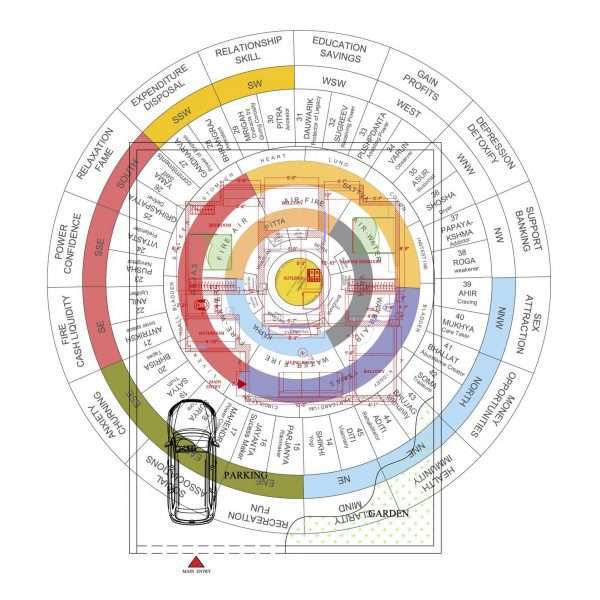
- यह समस्या कैसे हल करता है: Provides a ready-to-use Vastu Chakra Devta DWG layout for AutoCAD-based mapping, consultancy, and architectural analysis.
- किसके लिए उपयुक्त है: Vastu consultants, architects, planners, and advanced users who work with AutoCAD or compatible CAD software.
- कौन-सा परिणाम देखने को मिलता है: Faster Vastu mapping and easier DWG-based overlay workflow for project layouts, floor plans, and consultation analysis.
📍 इसे कहां रखें और कैसे उपयोग करें?
- उत्पाद को साफ और व्यवस्थित स्थान पर रखें ताकि उपयोग आसान रहे।
- पहले 7-14 दिनों तक suggested routine follow करें और observations नोट करें।
- यदि placement/usage पर doubt हो, तो expert guidance लेकर ही final setup करें।
सही placement और नियमित उपयोग से परिणाम अधिक स्थिर और स्पष्ट दिखाई देते हैं।
Customer Reviews
Please sign in to add a review.
Login with GoogleWhat You Receive
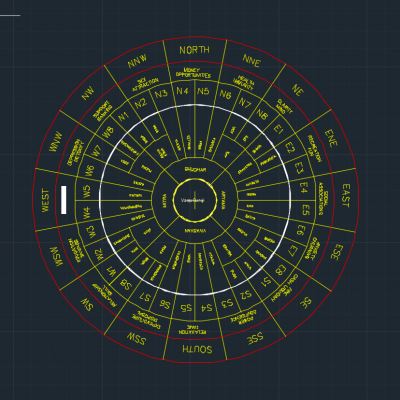
This DWG file supports Vastu Devta Chakra mapping in AutoCAD. It is useful when you need a CAD reference for Vastu Mandal Devta names, directional zones, and floor plan overlay work.
- Digital AutoCAD DWG file exactly as shown on this product page.
- Instant downloadable soft copy after purchase.
- File prepared in standard DWG format compatible with AutoCAD and similar CAD software.
- Access to the latest version available at the time of purchase.
- Ready-to-use layout for Vastu consultancy, planning, and architectural analysis.
How To Use
- Download the DWG file after purchase.
- Open the file using AutoCAD or any compatible CAD software.
- Import or overlay the file on your project layout, floor plan, or site drawing.
- Use it for Vastu analysis, Devta mapping, or correction planning according to your workflow.
Important Notes
- This is a digital AutoCAD DWG file, not a physical product.
- Basic familiarity with AutoCAD or CAD software is recommended.
- Ensure your software supports DWG file format.
- After purchase, check your email inbox and spam/junk folder for the download link.
- If the download link is not received within a reasonable time, please contact support.
Frequently Asked Questions
Frequently Asked Questions
Does this DWG include Vastu Mandal Devta names?
Yes. This product is intended for Vastu Devta Chakra and 45 Devta mapping reference in AutoCAD.
Is this Vastu Devta Chakra file free?
No. It is a paid professional DWG soft copy for AutoCAD users.
Can this be used for home floor plan Vastu mapping?
Yes, if you know AutoCAD scaling and layer alignment, you can use it as a reference overlay for home or office floor plans.
Recommended Setup for Best Results
(Used together with the main Devta correction)
Individual total ₹10,947.00
Why this setup works better together
The Devta correction activates the zone, while brass components ensure stability, directional flow, and long-term consistency of results.
No extra steps required — this setup is ready to use together.
Works best when supported by:

Vastu Chakra AutoCAD DWG File
Support component for complete correction consistency over time
₹999.00
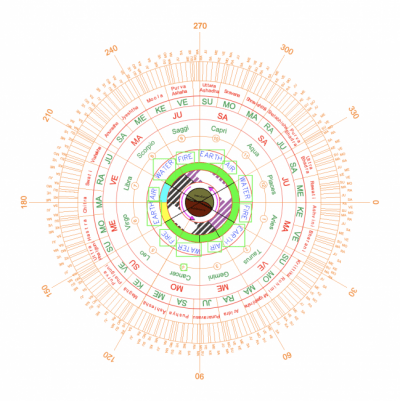
Kundli Chakra (Autocad File DWG)
Support component for complete correction consistency over time
₹8,299.00
What if only main product is used?
Results may start but can remain unstable or slow without proper grounding and flow correction.
This combination follows traditional Devta-Vastu practice and is recommended for correct results — not random bundling.
Related Suggestions


Practical Learning Guides

🎁 Frequently bought together
Customers who bought this also picked these. Add all 4 to cart and save 5%.